
Hey, I am Divy — a YouTuber like you.
Why I built YouTube Banner Studio from scratch
Divy Yadav Bio & Verification
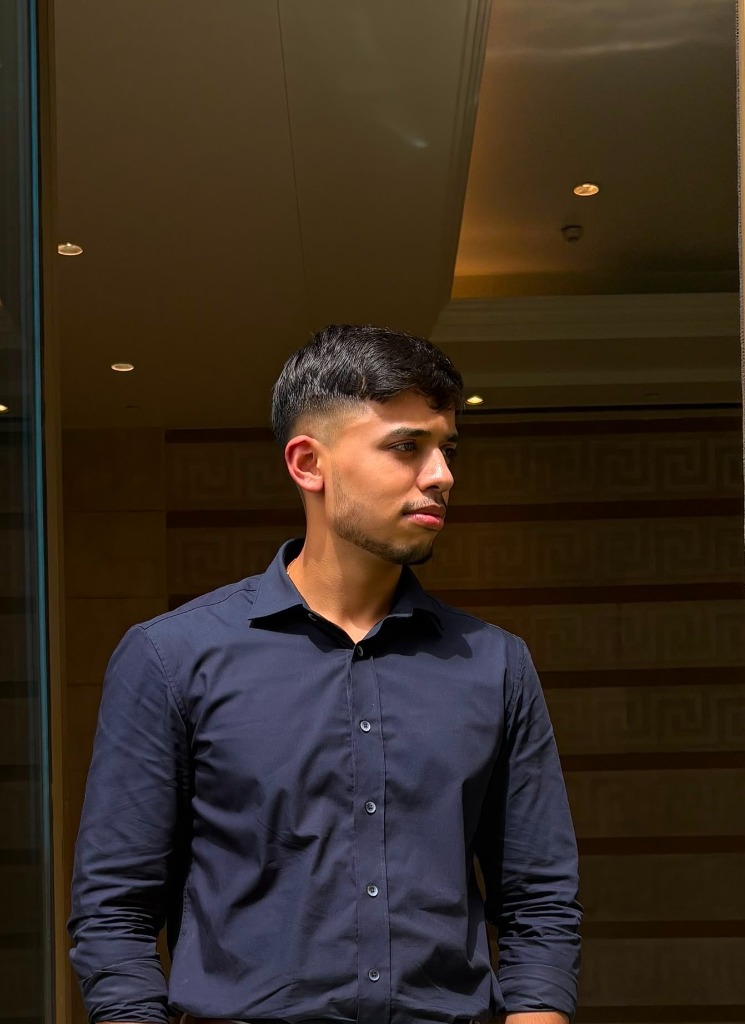
Divy Yadav
Creator & Lead DeveloperSoftware builder and YouTube creator running @techbydivy. I created YouTube Banner Studio to replace confusing templates, watermarks, and paywalls with an instant, private, browser-based tool.
Why I Built YouTube Banner Studio
When I started making videos for my channel @techbydivy, getting my channel banner right felt like an unnecessary battle with geometry.
YouTube's banner requirements are notoriously confusing. The official guideline asks for a 2560 × 1440 canvas to look sharp on Smart TVs, but over 70% of viewers visit on mobile phones where only the central 1546 × 423 safe zone is visible. On top of that, your channel profile photo, subscribe button, and external link chips cover different corners depending on whether someone is on an iPhone, an Android tablet, or a laptop.
I spent hours in Photoshop and Canva setting up ruler guides, exporting PNGs, uploading them to YouTube Studio, opening the YouTube app on my phone to check, seeing my channel handle cut in half, nudging layers by 20 pixels, and repeating the whole painful loop. Most online banner sites were worse — full of watermarks, paywalls, or rigid templates that didn't let you adjust anything.
I built YouTube Banner Studio to eliminate that trial-and-error cycle permanently: a 100% free, in-browser editor with live multi-device safe-area overlays (TV, Desktop, Tablet, and Mobile), instant file size checking under YouTube's 6 MB limit, and zero server uploads so your designs stay private on your own device.
Support YouTube Banner Studio on Ko-fi
YouTube Banner Studio is an independent project built during late nights between scripting tech videos and coding. If this tool saved you an hour in Photoshop or helped your channel look clean on mobile, buying me a coffee on Ko-fi helps cover hosting and keeps everything free for all creators.
Four Non-Negotiable Tenets
Zero Sign-Up Gateways
No account creation, no password storage, and no marketing emails. You open the tool, work on your banner, and export immediately.
Zero Watermarks
Your channel branding belongs entirely to you. We never overlay logos, stamps, or promotional text on your exported assets.
100% Client-Side Privacy
Your images remain strictly inside your device's memory. No image bytes are ever transmitted over the network to any server.
Empirically Verified Geometry
Crops and safe-zone boundaries are derived from live YouTube CDN analysis rather than outdated rule-of-thumb estimates.
How Client-Side Canvas Execution Works
Unlike traditional software that relies on cloud APIs to resize and encode images, YouTube Banner Studio runs entirely within your browser's local sandbox:
- Local Memory Decoding: When you drag or select an image file, the browser decodes it directly into local memory via standard browser APIs (createImageBitmap and FileReader).
- Mathematical Cover-Fit Scaling: The canvas coordinates are mapped to YouTube's standard 2560 × 1440 px dimensions. Our cover-fit engine scales your artwork proportionally to prevent distortion or accidental letterboxing.
- Bounded Offset Clamping: When repositioning your focal subject, coordinate clamps ensure you cannot slide the artwork past the boundary edge, preventing accidental transparent borders on export.
- Hardware-Accelerated Export: Output files are generated locally into PNG or JPEG binary blobs using native HTML5 Canvas encoding, downloaded directly to your local file system.
The fcrop64 Survey & Safe Area Math
Many creator tools publish conflicting recommendations regarding YouTube safe areas. To determine the ground truth, our research examined live banner delivery on YouTube's content delivery network (yt3.googleusercontent.com) across prominent creator channels (including Veritasium, MKBHD, Kurzgesagt, TED, and NASA).
Understanding the 64-Bit Crop Token
YouTube does not crop channel art arbitrarily. For desktop and responsive displays, YouTube's CDN relies on a 64-bit parameter formatted as fcrop64=1,x1y1x2y2. These coordinates represent four unsigned 16-bit integers denoting normalized crop bounds.
On smaller channel uploads meeting YouTube's minimum requirement of 2048 × 1152 px, this centered safe zone measures exactly 1235 × 338 px. Keeping key graphics, channel typography, and faces within this centered envelope ensures they remain visible regardless of the viewer's device.
Transparency & Non-Affiliation
YouTube Banner Studio is an independent, community-driven web utility created to assist video creators and graphic designers.
Trademark Disclaimer: YouTube is a registered trademark of Google LLC. YT Banner Studio is an independent utility and is not affiliated with, endorsed by, or sponsored by YouTube or Google LLC.
This tool is provided "as is" without warranty of any kind. We strive to provide the most accurate mathematical representation of YouTube Studio banner specifications.